I've Moved!

I've Moved!
Please visit my new blog!

This blog contains affiliate links!

Some of the links in the posts on this blog are “affiliate links.” This means if you click on the link and purchase the item, I will receive an affiliate commission (Thank you!) Regardless, I only recommend products or services I believe will add value to my readers.
Email me ..........................
Showing posts with label Scrapbooking. Show all posts

Tuesday, June 1, 2010

Sneak Peek of New Products available July 1st!

Great new products are on their way – including LOTS of new Disney items including Fairies, Toy Story, Mickey and Friends, Crusin’ Cars and Princess Tales!  Here’s just a few – LOVE that new 12x12 coverset!!

New Disney

Close-up of the coverset:

coverset

A new paper album – would make a great autograph book!

Mini Paper Album

There is also new non-Disney stuff, too!

Simply Beautiful Summer Additions

sb summer

sb

New Classic Water Sports Stickers and a Small Wavy Rotary Bladewavy

You can see all the new July products in the new Mini Catalog – which you can download here.

Tuesday, February 2, 2010

Paper + Digital = Hybrid!

Being a Creative Memories Consultant I sometimes decorate blank albums with new product to have on display. I try to use products that I will be able to use myself but sometimes I make things with no end project in mind. When the Cherish papers came out I fell in love with them and couldn’t wait to play with them! I just love the richness of the colors and the patterns in this line. CM had a Cherish kit for a 7x7 album – complete with pre-cut pages, stickers, vellum shapes and an idea for each page (I love not having to re-invent the wheel!) I made up the album just like the examples shown in the book that came with the kit. I showed it off & then it sat on my shelf for a loooong time :)

My 10 year wedding anniversary was last September & I knew I wanted to do an album for my husband but wanted to keep it simple. He's not a scrapbooker & barely tolerates having his picture taken ;) I pulled out the Cherish album that was just waiting for photos & decided to fill it with pictures of us throughout the years. I used Memory Manager to sort through the thousands of pictures I have to find favorites of Rich & I together (this is super easy to do if you tag your photos in Memory Manager). I imported those into Storybook Creator Plus and then converted them to sepia. I added some digital elements from the Cherish Digital kit (which is available as a FREE DOWNLOAD here) and others that coordinated (mostly from the Romance digital kit) and a few other embellishments (from the digital freebies on the CM Project Center) and then printed them out 4x6” an put them into my Cherish album.

Here are a few pictures I used in the album:

This one uses a free photo mask from the CM Project Center

4x6 landscape - Page 005 

4x6 landscape - Page 009

This one I used the magic wand tool to remove all the color from the picture, except for the flowers. 

4x6 landscape - Page 001

A few pictures of the album pages:

IMG_8663

IMG_8665

IMG_8667

IMG_8664

Super easy & quick.

The Cherish 7x7 kit isn’t available anymore but the 12x12ish paper is – you can find it here (while supplies last) in the clearance section of my CM website at a fantastic price!

I love this album & so did Rich! Hope you like it, too!

Wednesday, October 14, 2009

Journal, Journal – JOURNAL!

We all struggle with it – putting our feelings into words but just in case you need a reminder about how important it is to record what’s in your heart – here you go:

My Mom just sent me the most beautiful letter written by Big Jim – my paternal Grandfather.  He wrote the letter after meeting me for the first time.  He was writing the letter to my Dad who was serving in Vietnam.  My Dad wouldn’t get to hold me until I was about 4 months old when he came home from Vietnam.

Big Jim describes the visit he had with my Mom and her parents, my Grandpa Abe & Grandma Nellie, the meals my Mom cooked and other trivial things – about the drive home & at his work that week.  The letter is 3 pages long and filled with lots of details!   Here’s my favorite part:

In looking back over my life – I presume that biggest thrill I ever had was seeing you for the first time a few minutes after you were born, but believe you me, – the thrill of seeing and holding Lisa last Saturday afternoon for the first time, ranks very close to my biggest thrill in life.

Wow. 

I remember Big Jim as a cigar smoking, martini drinking, lovable old Grandpa.   He was fun – I loved spending time with him but I really don’t recall him being a man of many words, just your typical Grandpa stuff.  Of course I knew he loved me, but to see his very own words on paper just makes my heart swell.

I won’t bore you with all the details of the letter – Big Jim was quite taken with me.   I think I may have blushed a bit while reading about how much of a doll I was & how good of a baby I was.  My heart just about exploded when I read him gushing about how I cuddled up to him so nicely when he held me. 

We all have those times in our life when we think our heart will burst because it’s so full of wonderful feelings that we think we’ll remember forever.  YOU WON’T!  Write it down – record it for the people you love.

Big Jim and baby James 

This is Big Jim holding my Dad. 

If he could journal you can, too!!

I have to go get some more tissues and then go journal in my albums. 

Thursday, September 10, 2009

CM Videos on youtube.com

There are so many great new products – sometimes it’s hard to get a feel for them until you see them in person. If you’re not able to do that here is the next best thing – videos!

Rotary Trimmer
Power Palettes
New Daisy Organization System
Digital Solutions
Traditional Solutions
PicFolio
Career Solutions
Organizational Solutions

Some older ones:
adoption album
proud coach photo book
friends for life photo book

Let me know if you have any questions. Details about the new products are on my CM Consultant website at www.mycmsite.com/lisagraham

Sunday, August 16, 2009

2009 Fall Retreat at the Novi Sheraton

Need some time away?  Who doesn’t!  Camp Crop-A-Lot is a weekend retreat held at the Novi Sheraton twice a year – our next session is October 16 – 18, 2009, 

The weekend is designed to provide lots of uninterrupted time & space for scrapbookers but any crafters & friends are welcome. 

Click here to download a flyer with details about Camp Crop-A-Lot including classes you can take and a registration form. Contact me if you need more information or for the mailing address to send in your registration form. You can also visit the Camp Blog for more information.

Hope to see you in October @ the Novi Sheraton.

Monday, August 10, 2009

Pink, Flowers and More Pink!

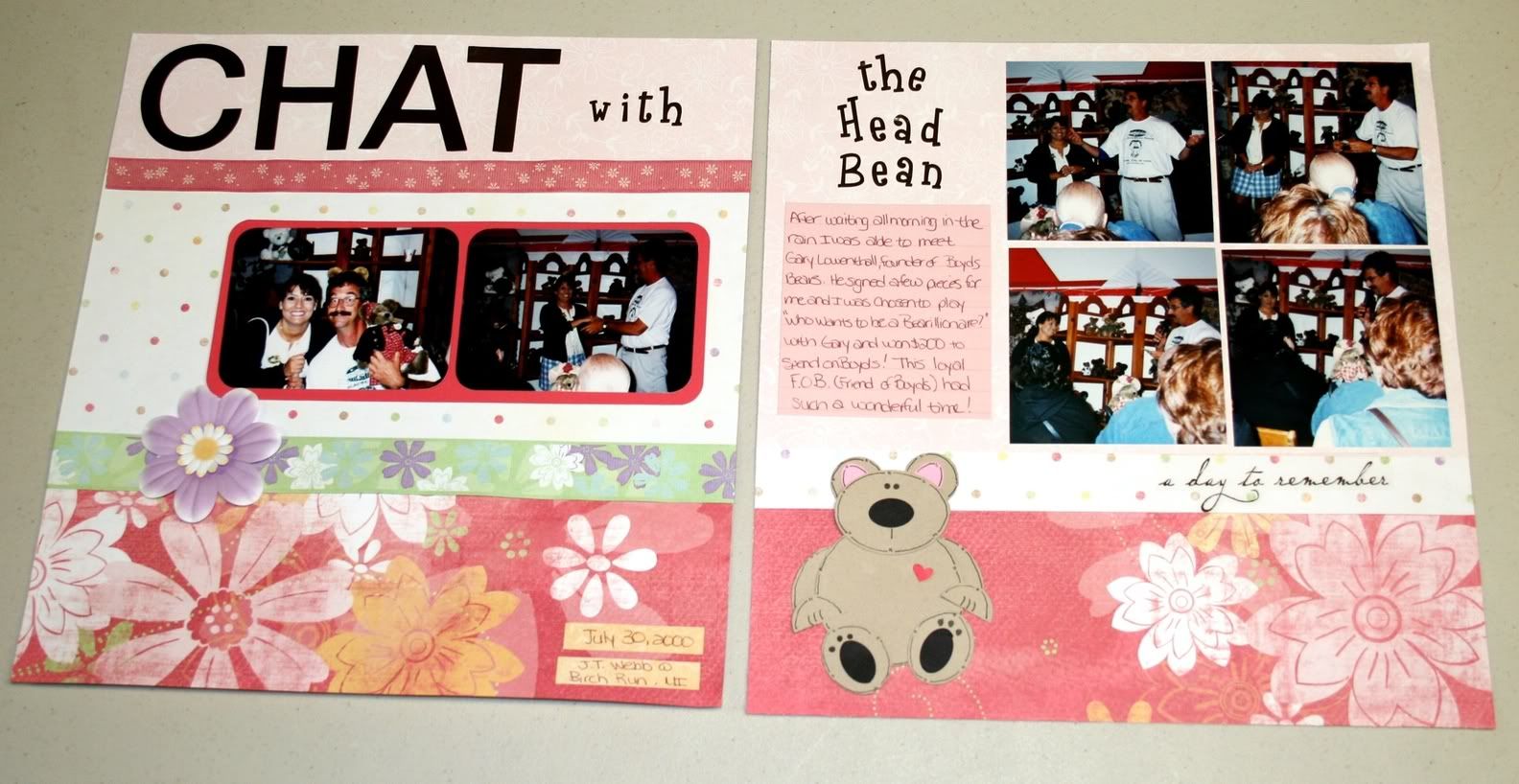
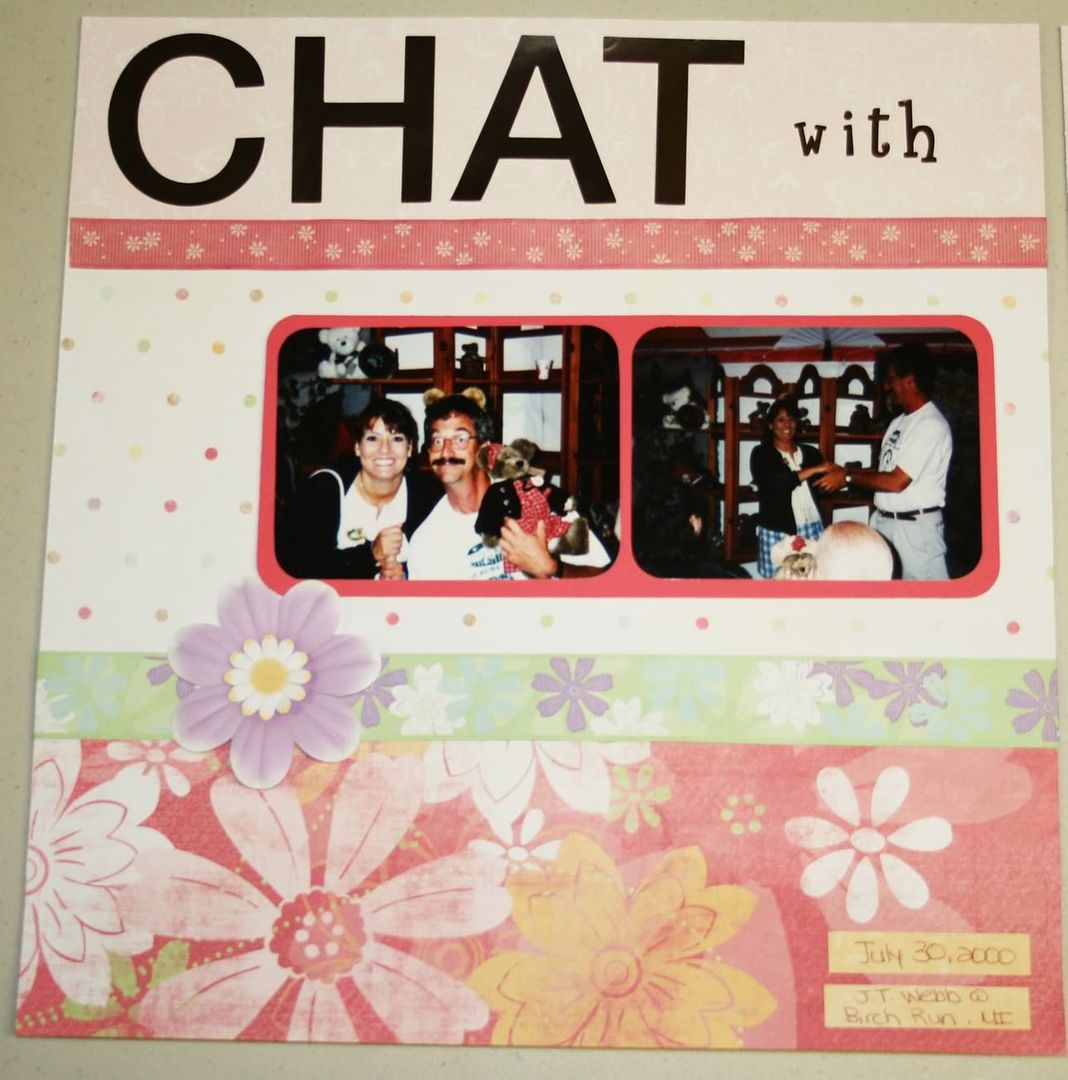
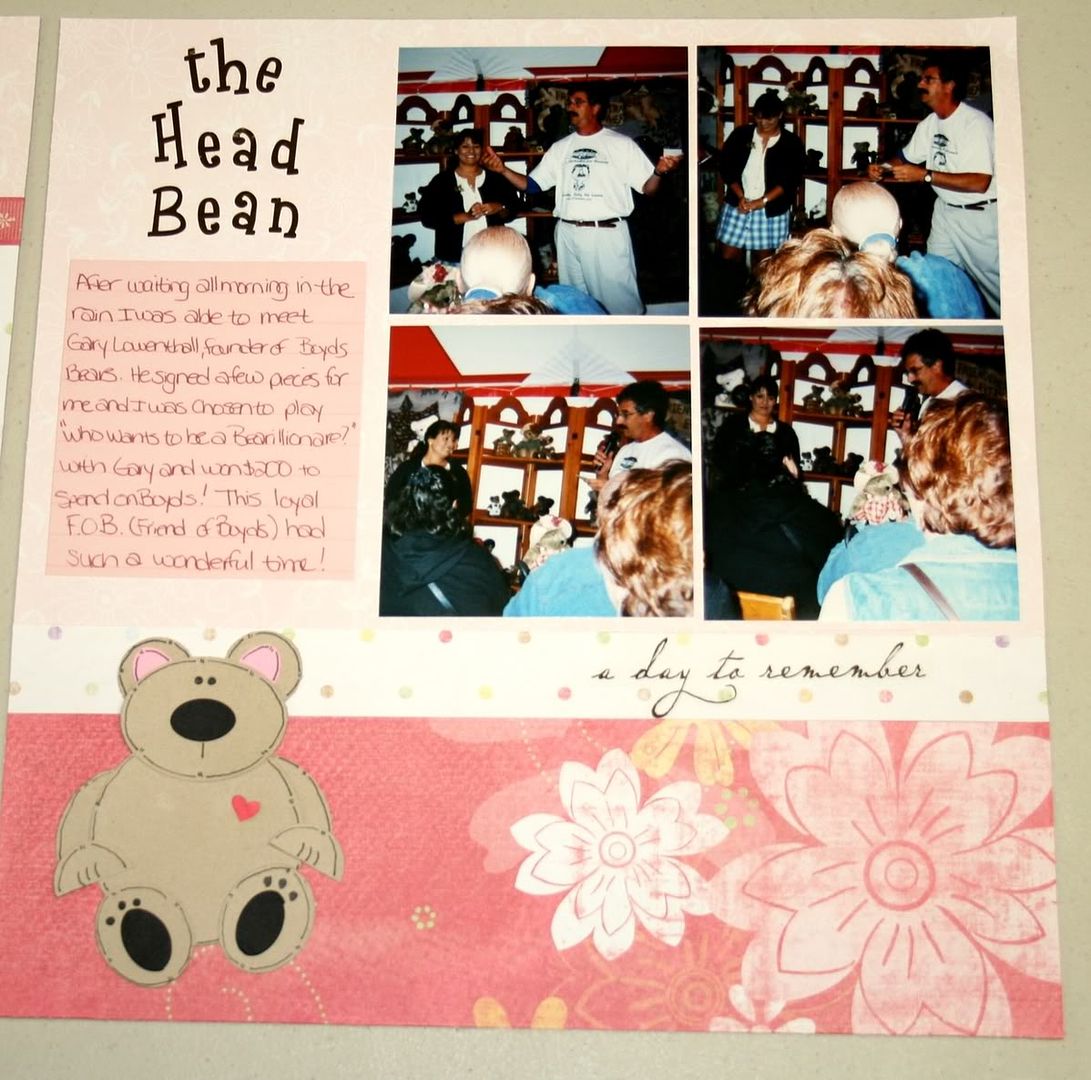
Being the Mom of 2 boys I don’t have many opportunities to use “pretty” stuff while scrapbooking.  I have been wanting to try the new Paper Flowers & Ribbons by CM for a while now & just couldn’t wait any longer!  I got out some of my pictures for my own scrapbook (you know - the album that has very few pages) and this is what I created:

The pages are made with papers and stickers from the Delight Power PalettePaper Flowers & Ribbon are the “Delightful” ones (more coming in September).  The Paper Ribbon is double sided – printed on one side and solid color on the other.  The layout on the left hand side was inspired by one found in CM’s Idea Book Vol. 1 – Inspire Me. You can find it on the bottom of page 21.

The little bear was created using the Custom Cutting System – mostly the Oval Patterns.  “CHAT” uses the Simple Monogram stickers & the other stickers used in the title are Swirly ABC/123 stickers.

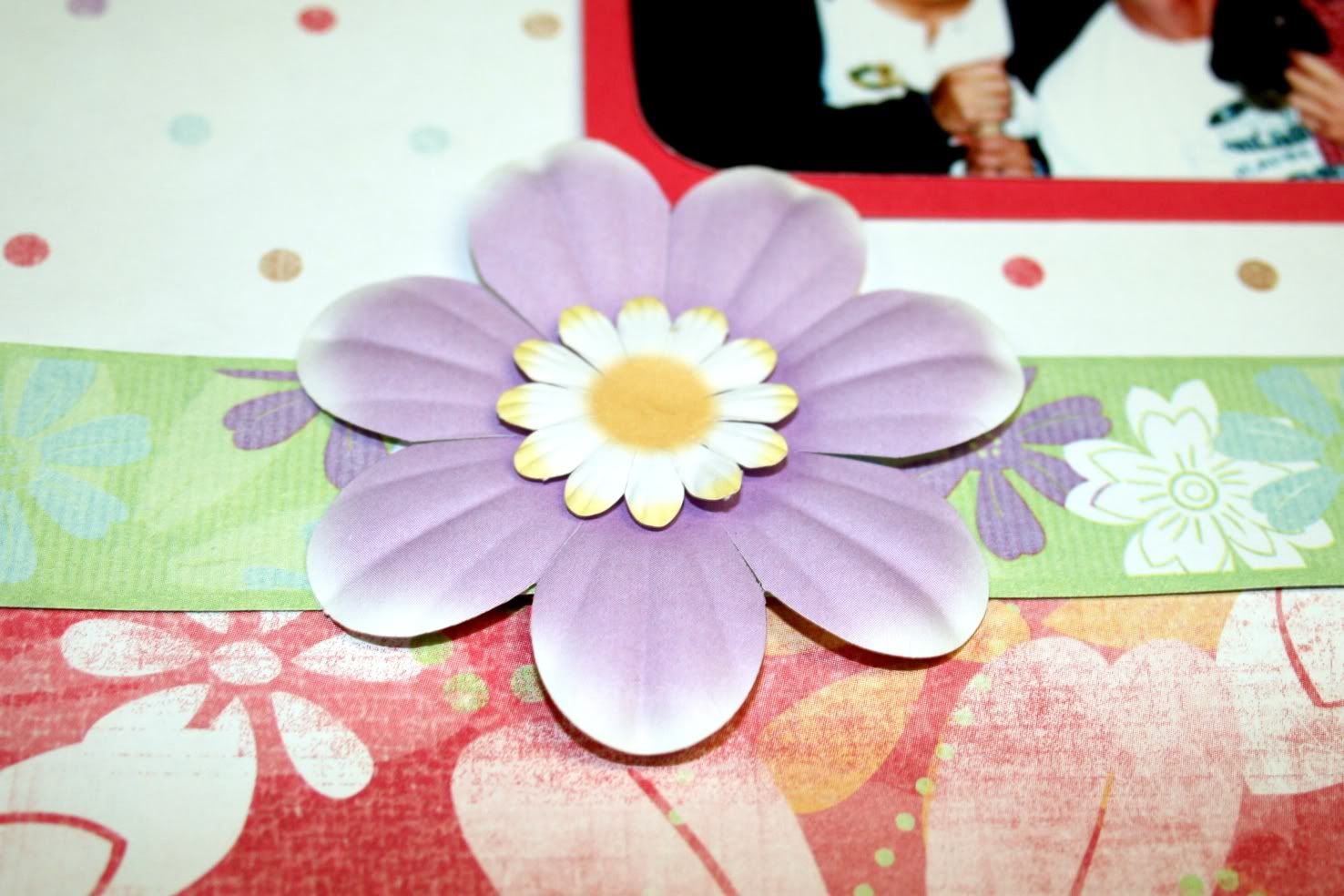
Here is a close up of the Paper Flowers and Ribbon– I used the Foam Squares underneath the small flower to give it a bit of dimension.

Thanks for looking!

Saturday, August 1, 2009

A (really) quick digital project & SBC+ Update info

We have had so many solicitors come by the house lately & I’m so not comfortable opening up the door for strangers so I’m considering putting something like this by the front door:

signs - Page 002

Do you think it’ll work? I’ll probably tone it down a bit and shorten it up before posting it. I started with a pre-designed page template from the Cottage Garden digital kit. This was made with Storybook Creator Plus which is a fantastic program and it will be getting even better in September! An upgrade will be available that will include the following features:

  • Wrap text around images and objects (the text will follow a line you draw)
  • New filters, such as oil painting, mosaic and frosted glass
  • View a two-page spread while editing
  • New Tools, grid-cutting, corner cutter, paper tearing, blended and patterned edges
  • Turn any image into a rubber stamp
  • You'll be able to upload right to Facebook for sharing

Wahoo! I absolutely love using this program – it was created for scrapbookers, by scrapbookers. There are also a HUGE amount of resources available to help you with digital scrapbooking, including the Help Zone on my CM Consultant website .

Here is a link to a short video that shows some of the fantastic features of SBC+

Here are a few pages I recently created with SBC+ and CM digital content:

pages - Page 004

The above page uses items from the Recipe Book Digital Kit and digital freebies from the CM Project center (including the hinges, paper frame and overlay)

Pages - Page 016

This page uses items from the Great Escapes Digital Kit.

TN Pages - Page 001

Doesn’t get much simpler than this! I used a photo for the background then customized some word art to go with the picture. Corner swirl is another freebie from the
CM Project Center.

pages - Page 003 The Cozy Winter Digital Kit was used to make this page.

Please let me know if you need help with digi scrapping – or other photo related projects!

Thursday, May 28, 2009

“Business” cards for kids

So, tomorrow is the last day of Preschool for my youngest. He’s off to kindergarten in the fall! He has made so many friends at his Preschool, many have been in the same classes over the past few years. He wanted to give out his phone number so we can arrange play dates over the summer. I created these cards in Storybook Creator Plus, using a freebie frame from the CM Project center. The frame is from the Construction Zone PP Addition - shown here in it's digital form but also available for traditional scrapbookers. The frame had said “Boys and their toys” but I put a box over that & put in Jamie’s name. Added our phone number (blurred out here on the internet) & my name because I’m thinking that even though the Moms have also known each other for a few years – maybe they can’t remember my name and are too embarrassed to ask. I know I can’t be the only one!

Jamie Business Cards - Page 002

I printed a bunch up on cardstock & he'll hand them out tomorrow. Hard to believe we're done with Preschool in our household. Boy the time has flown by!!

Wednesday, April 8, 2009

All Day Web Workshop – Sat, May 2nd

On Saturday, May 2nd, join with thousands of others in the fun, inspiration, and education you'll find on Creative Memories' "Go Digital!" Facebook group. That's right! it's our first-ever nationwide all-day memory-celebrating event! Digital, Picfolio, Traditional. We're covering them all! We have the best of the best nationwide presenters on our agenda. Every two hours starting at 11 a.m., a new link will be uploaded to the Creative Memories "Go Digital" Facebook Group Page! You will be able to sit back and enjoy these 10-15 minute fun, informational and inspirational screen-casts! We'll be spotlighting the newest techniques and tools to make your memory celebration projects come alive with excitement! All day long there will be prizes, group challenges, and even a "People's Choice Page Design" Award in both Digital and Traditional Styles!
Mark the date now, get a friend or two, or six, or ten, together, for a fun-filled day online, on-the-go, or in your home! Keep checking back with "Go Digital" as we put more and more exciting teasers of the the BIG Day's events for you. Click on the informational photo page below to enlarge and see our May 2, 2009 all-day agenda!

nsd 

I’ll be there – hope to see you on Facebook, too!

Thursday, April 2, 2009

New Recorded Webinar Available

I just finished watching the “Toddler to Teen” Webinar. It’s fantastic & filled with lots of great tips for all types of scrapbookers, no matter what you’re working on. The Webinar focuses on creating an album that captures 18 years of a persons life but is really an overview of many CM album types & products with some fun ideas and techniques mixed in.

The webinar focuses on creating an album for someone that will be graduating high school but this would also be a great way to get started on an album about YOU!

At the beginning of the Webinar there is a nice explanation of the different album styles CM offers, too (PicFolio, Traditional, etc.) There is also a lot of information about products and a great intro to Digital Scrapbooking.

Here is the link to register & view the Webinar:

https://www1.gotomeeting.com/register/563676142

Let me know if you would like to have a copy of the handouts mentioned in the Webinar emailed to you.

Tuesday, March 31, 2009

Baby Boy Borders

OK, I’ll admit it – the main reason I purchased the Discover Baby Boy Display Accent kit was for the one die cut piece of 12x12 paper. I used it on my Everyday Display (along with several other pieces from the kit – you can see it in this post) & love it! I had a lot of extra pieces from the kit & made up some borders. The kit contains a lot of photo mats & I cut them up and pieced them together to make most of the borders. I absolutely love the new Discover & Delight Power Palettes – they’re so easy and fun to work with!

IMG_7322

IMG_7325

IMG_7326

IMG_7327

IMG_7320

baby boy - Page 001

IMG_7321 IMG_7323

Luckily, I have been such a procrastinator & am still working on Jamie’s baby album. Maybe these will help me finish it before his 5th birthday – yikes!

If you like these borders you may be interested in the Discover Baby Boy Power Palette Kit. It's only $21 and contains so much product!

Friday, March 13, 2009

Fantastic Freebies on the CM Project Center

Have you checked out the CM Project Center lately? It is amazing – so many great ideas – and now freebies to use in your digital projects!! Go to the Project Center & take a look around. When you want to see the freebies, click on “Digital Project Ideas.” You’ll see a list on the left where you can find the digital freebies & complete instructions for downloading & using the free files.

Here is one of the files – a complete page! All I needed to do was add my photos & a bit of journaling.

The page originally was pretty girly – it is from the So Chic digital kit so, with the click of a few buttons I changed the tones & hues to compliment the boys. Just one more reason to love StoryBook Creator Plus & digital scrapbooking!

Tuesday, March 3, 2009

New March Products

They’re here! I received my first order with some of the new March products last week & quickly put this together:


This hangs on my EveryDay Display. The background paper, swirly star accent and heart on the "My" tag is from the Discover Baby Boy Display Accents. I used the Tag Maker to punch out the tags from the kit also. I added some Swirly ABC/123 stickers and used the cocoa pen on the edges to age it a bit. The Title Sticker is from a retired Power Palette.

Wednesday, February 11, 2009

Some Favorite Pages

I thought I’d share some of my favorite pages – I added them to my idea sharing site & wanted to post them here, too.

I just love these pages – they’re when Jamie first found his toes!

another layout featuring my youngest of 2 boys, Jamie.

Here’s Richie, my oldest, about 3 years ago.

This was my first attempt at doodling. I love the way the CM precious Elements pens show up on the page – it looks much better in person.

I hope these inspire you – would love to see some of your layouts!

Thursday, January 29, 2009

Free Digital Stuff!

Have you watched the Digital Done in Four Webinars? These sessions are available live and pre-recorded - plenty of options there. I am so impressed with these webinars - they are filled with great information - for the beginner or those that have been digi scrapping for a while. They are a great learning tool!


Here are just a few examples of what you'll learn to do in these Webinars:


Before Picture - not too bad but there is a lot of stuff in the background that distracts your eye.


After editing in Memory Manager:


I have cropped the photo, fixed the glowing eyes, lightened the picture, removed the dartboard, the light overhead and the register in the celing. Also little bits of hair that were sticking up on Jamies head are now gone! I'm working on learning how to take a few pounds off my picture ;)


Here's a picture that I removed the color from the background so my little elf would stand out:


Still not convinced to watch the webinars? How about if I bribe you - I'm not above it. Memory Manager and Storybook Creator Plus are fantastic programs & I like to give away free stuff anyways ;)

After you have listened to the 4 webinars and have ordered your storybook - email me & I'll send you a link to download a Family Quick Kit package that can be used with SBC+. You have 4 choices:

  • Family Quick Kit Digital Kit -individual papers & embellishments

  • Family Quick Kit Pre-Designed 8 x 8 Pages
  • Family Quick Kit Pre-Designed 11 x 8 ½ Pages

  • Family Quick Kit Pre-Designed 12 x 12 Pages


I have used the traditional version of the Family Quick Kit to make an album that contains some of my favorite pictures & it is one of my favorite albums! The artwork in this kit is fun & bright - really nice to work with. Here are a couple examples of the 8x8 digital pre-designed pages:


Just waiting for your photos!


Email me @ Lisa.Graham@sbcglobal.net

Tuesday, January 27, 2009

My new love – digi scrapping!

Digital Scrapbooking – I have been dabbling a bit with this new method of memory keeping and am so happy with the results. I use CM’s Storybook Creator Plus (SB+) to make my digital stuff & LOVE it! It is easy to use and I am thrilled that CM offers both digital and traditional versions of its papers and embellishments. This came in very handy when I was doing an album of our HS class reunions. I had some printed photos but wanted to do some digital pages – I was glad I could use both digital and traditional papers & elements that matched. Here’s an example of a page I did digitally, using the digital version of the Everyday Power Pallette (which comes with SB+ along with the digi Gazebo PP):


The page that sits right next to the one above in my album I did with real paper & stickers from the traditional Everyday Power Pallette:


DigiScrapping has simplified my life! (at least a small part of gift giving is easier)


Each year I make PicFolio Calendars for Christmas gifts – I started out making 5 of these by hand – they were gifts for the In-Laws, my Mom, Great Grandmothers & Rich. I used a PicFolio Minutes album and made a calendar page for each month along with a coordinating page for the other side of the album. I would print out the calendars & pictures, trim, matt, use a ton of stickers & paper - ugh! It was quite time consuming, but of course it was a labor of love and I was really glad to see that these albums were very well received! Each year I make calendar refills for the PicFolio albums. This is sooo much easier since I started making these digitally! I only make 3 copies now, as the great grandmothers are no longer with us, but I could just as easily make 5 or 500! I just create them once & order as many prints as I need!


Here’s an example of a couple digitally scrapped PicFolio Calendar inserts for this year:


And here’s a picture of the calendar using the PicFolio album:
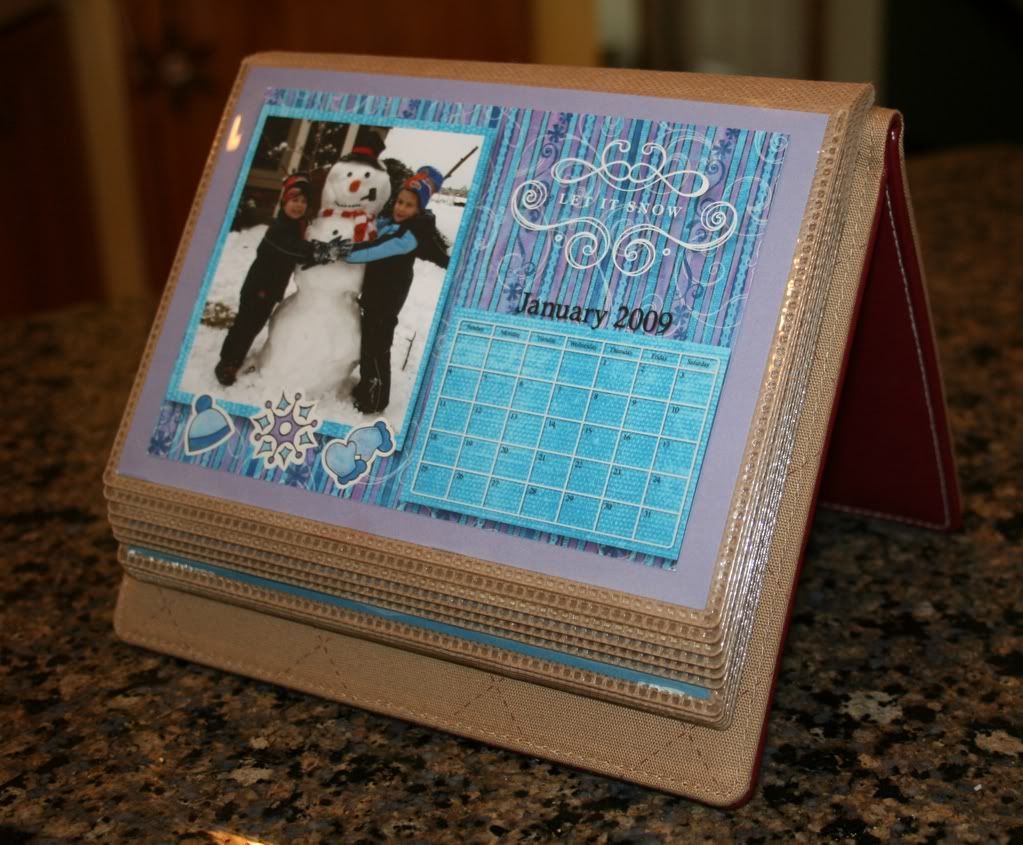


(If you click on the picture it will take you to the complete calendar album)


I also use SB+ to create our holiday cards & birthday invites, too! Here’s this years picture I sent out with the Christmas cards:


Which reminds me of what motivated me to post about digi scrapping (better late than never!)


Richie is “Star of the Week” in his 1st grade class. He wanted to bring in some pictures, so we were scrolling through Memory Manager (another post altogether, but another fantastic program!) choosing which pictures he wanted to bring in when he decided he wanted to put some digi scrapped pictures together. Within an hour or so we made 6 photo collages that I printed out at home to share with his class. Here’s my favorite:


and Richie’s favorite:


Nana suggested using the picture of the Pikachu cupcakes as a background!


I have posted more example of items I created using StoryBook Creator Plus on my CM Idea Sharing site under “Digital


Have a great day!