I've Moved!

I've Moved!
Please visit my new blog!

This blog contains affiliate links!

Some of the links in the posts on this blog are “affiliate links.” This means if you click on the link and purchase the item, I will receive an affiliate commission (Thank you!) Regardless, I only recommend products or services I believe will add value to my readers.
Email me ..........................

Thursday, September 10, 2009

CM Videos on youtube.com

There are so many great new products – sometimes it’s hard to get a feel for them until you see them in person. If you’re not able to do that here is the next best thing – videos!

Rotary Trimmer
Power Palettes
New Daisy Organization System
Digital Solutions
Traditional Solutions
PicFolio
Career Solutions
Organizational Solutions

Some older ones:
adoption album
proud coach photo book
friends for life photo book

Let me know if you have any questions. Details about the new products are on my CM Consultant website at www.mycmsite.com/lisagraham

Sunday, August 16, 2009

2009 Fall Retreat at the Novi Sheraton

Need some time away?  Who doesn’t!  Camp Crop-A-Lot is a weekend retreat held at the Novi Sheraton twice a year – our next session is October 16 – 18, 2009, 

The weekend is designed to provide lots of uninterrupted time & space for scrapbookers but any crafters & friends are welcome. 

Click here to download a flyer with details about Camp Crop-A-Lot including classes you can take and a registration form. Contact me if you need more information or for the mailing address to send in your registration form. You can also visit the Camp Blog for more information.

Hope to see you in October @ the Novi Sheraton.

Monday, August 10, 2009

Pink, Flowers and More Pink!

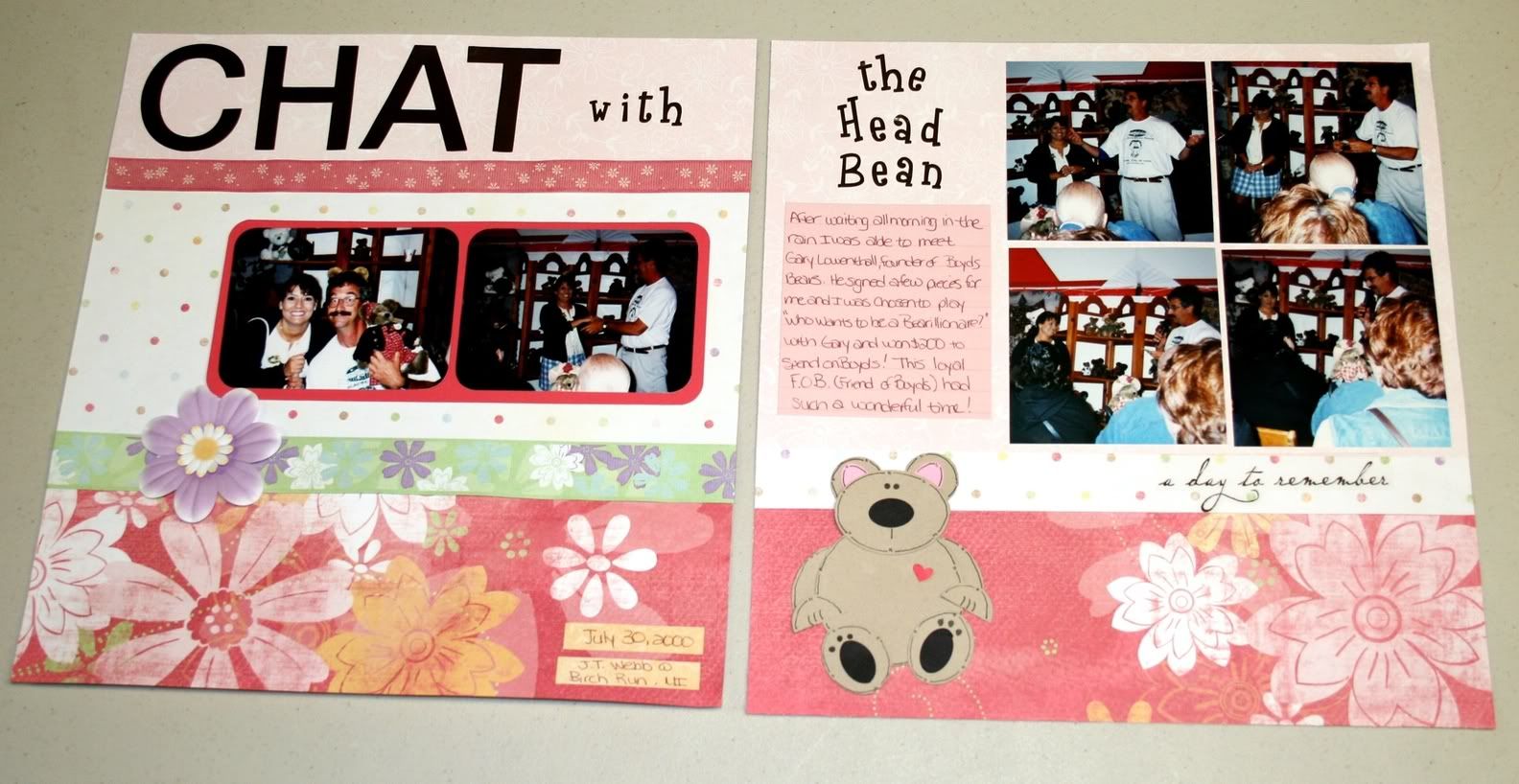
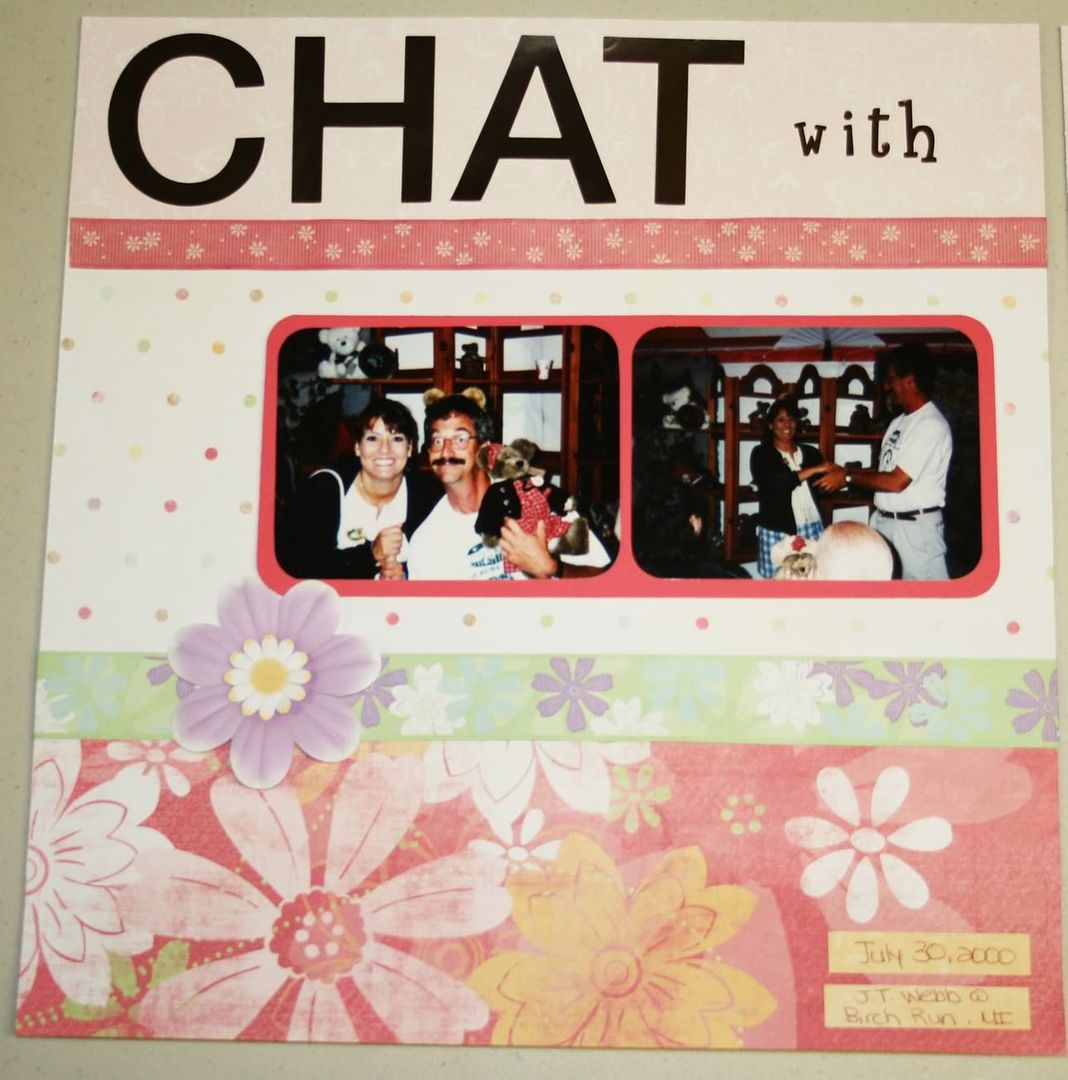
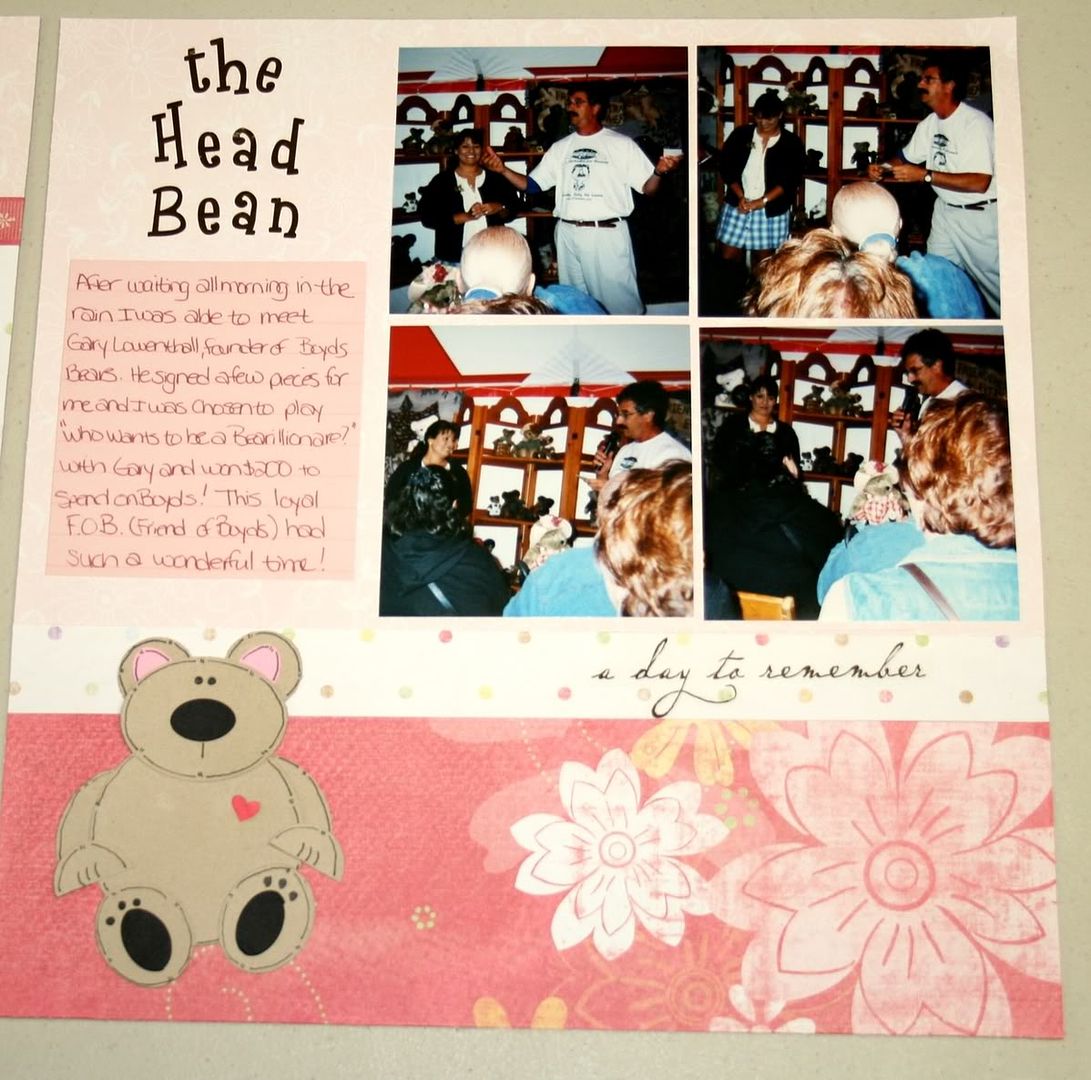
Being the Mom of 2 boys I don’t have many opportunities to use “pretty” stuff while scrapbooking.  I have been wanting to try the new Paper Flowers & Ribbons by CM for a while now & just couldn’t wait any longer!  I got out some of my pictures for my own scrapbook (you know - the album that has very few pages) and this is what I created:

The pages are made with papers and stickers from the Delight Power PalettePaper Flowers & Ribbon are the “Delightful” ones (more coming in September).  The Paper Ribbon is double sided – printed on one side and solid color on the other.  The layout on the left hand side was inspired by one found in CM’s Idea Book Vol. 1 – Inspire Me. You can find it on the bottom of page 21.

The little bear was created using the Custom Cutting System – mostly the Oval Patterns.  “CHAT” uses the Simple Monogram stickers & the other stickers used in the title are Swirly ABC/123 stickers.

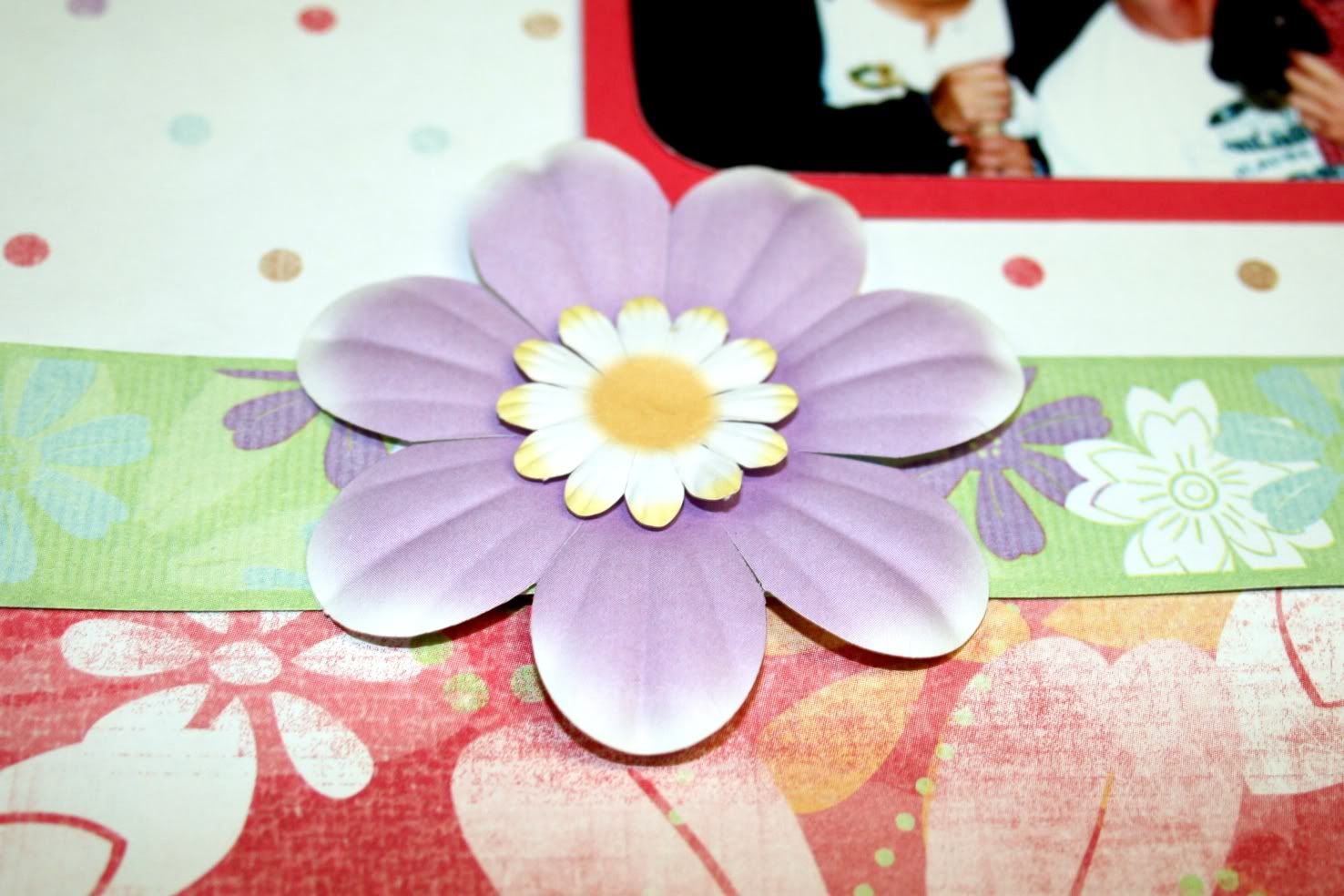
Here is a close up of the Paper Flowers and Ribbon– I used the Foam Squares underneath the small flower to give it a bit of dimension.

Thanks for looking!

Saturday, August 1, 2009

A (really) quick digital project & SBC+ Update info

We have had so many solicitors come by the house lately & I’m so not comfortable opening up the door for strangers so I’m considering putting something like this by the front door:

signs - Page 002

Do you think it’ll work? I’ll probably tone it down a bit and shorten it up before posting it. I started with a pre-designed page template from the Cottage Garden digital kit. This was made with Storybook Creator Plus which is a fantastic program and it will be getting even better in September! An upgrade will be available that will include the following features:

  • Wrap text around images and objects (the text will follow a line you draw)
  • New filters, such as oil painting, mosaic and frosted glass
  • View a two-page spread while editing
  • New Tools, grid-cutting, corner cutter, paper tearing, blended and patterned edges
  • Turn any image into a rubber stamp
  • You'll be able to upload right to Facebook for sharing

Wahoo! I absolutely love using this program – it was created for scrapbookers, by scrapbookers. There are also a HUGE amount of resources available to help you with digital scrapbooking, including the Help Zone on my CM Consultant website .

Here is a link to a short video that shows some of the fantastic features of SBC+

Here are a few pages I recently created with SBC+ and CM digital content:

pages - Page 004

The above page uses items from the Recipe Book Digital Kit and digital freebies from the CM Project center (including the hinges, paper frame and overlay)

Pages - Page 016

This page uses items from the Great Escapes Digital Kit.

TN Pages - Page 001

Doesn’t get much simpler than this! I used a photo for the background then customized some word art to go with the picture. Corner swirl is another freebie from the
CM Project Center.

pages - Page 003 The Cozy Winter Digital Kit was used to make this page.

Please let me know if you need help with digi scrapping – or other photo related projects!

Thursday, May 28, 2009

“Business” cards for kids

So, tomorrow is the last day of Preschool for my youngest. He’s off to kindergarten in the fall! He has made so many friends at his Preschool, many have been in the same classes over the past few years. He wanted to give out his phone number so we can arrange play dates over the summer. I created these cards in Storybook Creator Plus, using a freebie frame from the CM Project center. The frame is from the Construction Zone PP Addition - shown here in it's digital form but also available for traditional scrapbookers. The frame had said “Boys and their toys” but I put a box over that & put in Jamie’s name. Added our phone number (blurred out here on the internet) & my name because I’m thinking that even though the Moms have also known each other for a few years – maybe they can’t remember my name and are too embarrassed to ask. I know I can’t be the only one!

Jamie Business Cards - Page 002

I printed a bunch up on cardstock & he'll hand them out tomorrow. Hard to believe we're done with Preschool in our household. Boy the time has flown by!!

Wednesday, April 8, 2009

All Day Web Workshop – Sat, May 2nd

On Saturday, May 2nd, join with thousands of others in the fun, inspiration, and education you'll find on Creative Memories' "Go Digital!" Facebook group. That's right! it's our first-ever nationwide all-day memory-celebrating event! Digital, Picfolio, Traditional. We're covering them all! We have the best of the best nationwide presenters on our agenda. Every two hours starting at 11 a.m., a new link will be uploaded to the Creative Memories "Go Digital" Facebook Group Page! You will be able to sit back and enjoy these 10-15 minute fun, informational and inspirational screen-casts! We'll be spotlighting the newest techniques and tools to make your memory celebration projects come alive with excitement! All day long there will be prizes, group challenges, and even a "People's Choice Page Design" Award in both Digital and Traditional Styles!
Mark the date now, get a friend or two, or six, or ten, together, for a fun-filled day online, on-the-go, or in your home! Keep checking back with "Go Digital" as we put more and more exciting teasers of the the BIG Day's events for you. Click on the informational photo page below to enlarge and see our May 2, 2009 all-day agenda!

nsd 

I’ll be there – hope to see you on Facebook, too!

Peeps in a Jar – Easter S’mores.

I saw this project on a bunch of websites & made up some for Easter gifts for teachers & other special “peeps” :)

If you Google “Peeps in a jar” you’ll find lots of examples & methods for making these.  I combined a few & here’s what I did:

Crush 1 sleeve of graham crackers into crumbs & dump into the bottom of a canning jar – if you use ones with the wide mouths I would imagine it would be much easier, but I had these on hand.

Place your Peeps in the jar – against the side.  I used the end of a wooden spoon to smush the last one in. 

In the center of the Peeps place 1/3 cup of brown sugar.  This was easiest to do when I packed together several little clumps & dropped them into the jar.  Then I tamped it down using the bottom of a gravy ladle.  Place 1 1/4 cup of M&Ms on top & you’re almost done!

Here is a link to sheet of tags I made with Storybook Creator Plus.  They have the baking directions to make the Peeps S’mores.

I also made a circle label for the top.   
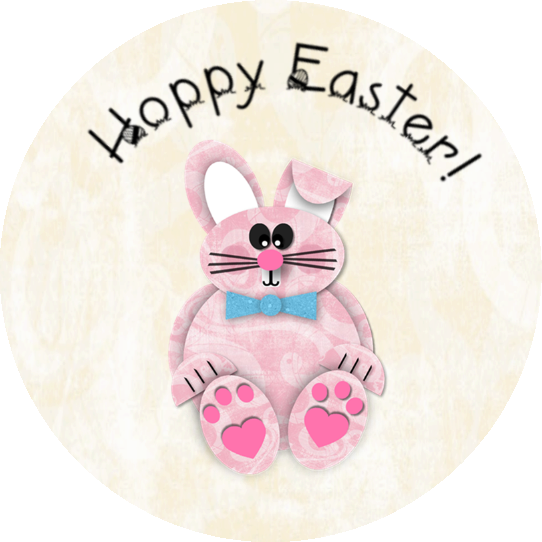
It features this little guy made with SBC+. You should be able to click on it, then right click on the picture & use “save as” to save it to your computer & import it for use in your digital projects.


This was a fun & easy project & would be great for other holidays, too – I know I’ve seen lot of other types of Peeps – pumpkins, ghosts, snowmen –pair them up with seasonal M&Ms & you have tons of possibilities!!

Happy Easter!