I've Moved!

I've Moved!
Please visit my new blog!

This blog contains affiliate links!

Some of the links in the posts on this blog are “affiliate links.” This means if you click on the link and purchase the item, I will receive an affiliate commission (Thank you!) Regardless, I only recommend products or services I believe will add value to my readers.
Email me ..........................

Wednesday, February 5, 2014

CTMH NEW Pages in Creative Memories Albums

A huge “Thank You” to Close to my Heart Consultant, Tammy Graham for sharing her photos & reviews of the new Sideloading CTMH pages!  When you are shopping on your CTMH Consultants website you’ll see these listed as “12x12 Memory Protectors Strap Side Load”  Don’t have a CTMH consultant?  Head on over to Tammy’s CTMH website!

Below are Tammy’s photos & comments.  You should be able to click on the photos to enlarge them.

All 25 pages in the album.

999942_10202644402052318_441724768_n

You can see just a bit of the page protectors at the bottom and top of the spine area. The protectors do extend further into the spine area than regular pages.

1609563_10202644402252323_2032178598_n

Looking down at the album, the protectors do not stick out at all.

1513327_10202644402532330_731190981_n

CTMH SL with CM Black pages - it lays very flat at this point.

1525739_10202644490774536_1643242958_n

CTMH SL pages under a black page inside the album. There is a small border all around the black page from the SL pages.

1560630_10202644492454578_1196857992_n

A close up of this edge

1488897_10202644496014667_908425435_n

The edge of the album with page protectors and a few true black CM pages. They end at about the same place if you were planning to mix and match.

1524650_10202644402732335_1819946145_n

View from the top of the album.

1524587_10202644402972341_1688831046_n

The pages do have a "hump" in the middle (it could use one more strap there). I am not sure , but I think to get the pages to lay more flat you would have to use cardboard spacers.

1560646_10202644403532355_109922583_n

I have the strap a little tighter on the bottom, but I still think there is going to be a bit of an issue with the album laying flat without the cardboard spacers.

1505049_10202644404492379_1992671644_n

Toward the front

1555468_10202650722530326_240773221_n

1016335_10202650723490350_373505285_n

Toward the front, you can see the one side is higher.

1512770_10202650723250344_2058245502_n

Toward the middle

1557449_10202650721210293_507884433_n

9845_10202650721730306_654311005_n

The last pages

1513292_10202650720810283_354069585_n

The opening of the album.

1526111_10202650723890360_1486730052_n

Showing the top corner so you can see the edge of the protectors.

1527022_10202644404812387_1790872721_n

Looking down on the spine area without the cover.

1524754_10202644496734685_35492340_n

Looking at the CTMH SL pages loaded next to regular CM pages. The CM pages are flush, while the CTMH SL pages stick out a little further into the spine. However, with the cover on this really isn't noticeable or an issue.

1505331_10202644496934690_1826771845_n

The album closed.

1525079_10202650724730381_58626726_n

Thanks, again, Tammy!  Looks like these are a great option!

Friday, January 31, 2014

Scrapbooking the Polar Vortex

What a crazy winter it’s been & it’s not even February yet!  Living in Michigan I have no shortage of snow photos to scrapbook & always look forward to taking more.  Those of you that aren’t used to getting snow might be a little out of your element (no pun intended) when it comes to ideas & products for your layouts featuring winter weather pictures.  Weather you’re a veteran of snowstorms or only get to enjoy them once in a great while here are some ideas to help you with your snow related photos.

(Click on images to view larger)

Winter Page Ideas

Super easy border using circles to create a birds eye of a snowman

   snowman looking up 

Here’s a digital version  of the guy above – you should be able to right click on it and save it to your computer and use it on your digital pages

Snowman

Winter fun at Scrapbook.com

Need to purchase some winter themed products for your pages? 

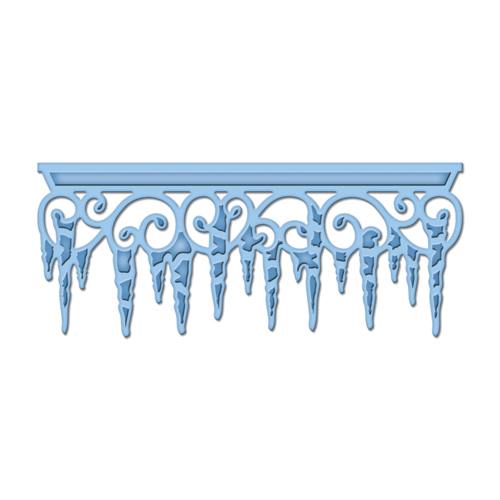
I’ve recently purchased a Cuttlebug mostly for embossing but I’m becoming quite addicted to Spellbinders & other dies that cut & emboss at the same time. Here are a few I have my eye on:

(clicking on product pictures & descriptions will take you to Scrapbook.com via my affiliate links)

Spellbinders - Shapeabilities Collection - Die Cutting and Embossing Templates - Snowflake Pendant

2013 Snowflake Pendant

Mr. & Mrs. Snowman

Icicles

http://cdn.scrapbook.com/products/source/SBC_pp-srs2058.gif

To learn more about using Spellbinders in various die cutting machines you can watch this video. 

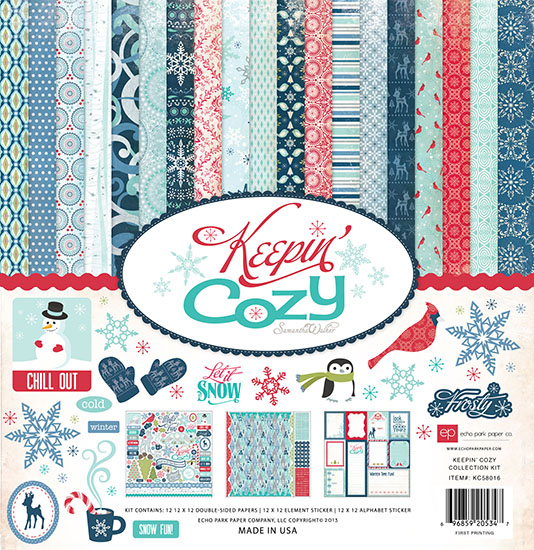
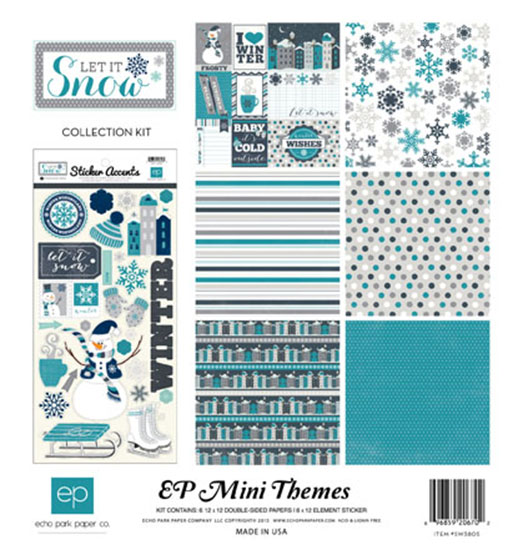
I love product collections because with they help a page come together very easily. The work of coordinating paper & embellishments are already done for you!

Echo Park – Keepin’ Cozy Collection

Echo Park – Let it Snow Collection

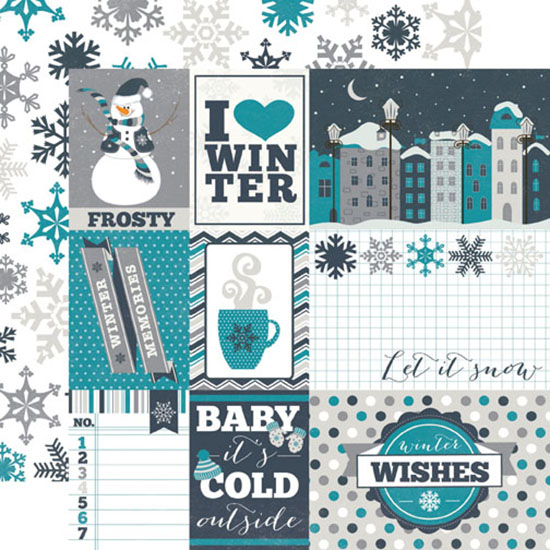
You can also purchase most of the items in the collections separately, like these papers: 

12x12 Echo Park Let it Snow 12x12 double sided paper – journaling

Another fun things about these Echo Park products is that you can purchase coordinating designs in the Silhouette store to cut with your electronic die cutting machine. 

Here are just a few (design number listed at the bottom so you can find them.)

image        image   imageimage         image 

Haven’t been able to find any “Polar Vortex” related items so I created this title.  You can download the svg file here. (Free of charge)

image

Tips for taking snow pictures

Get up close!  By doing this you will reduce the amount of white background in your photo allowing your camera to get a better picture.

img_8694

Center your picture on a dark object – when you push the shutter button down halfway your camera will adjust using that spot and you will get better results than if it was centered on bright snow.

img_0842

Have people face the sun when taking their photo – that way they won’t be too dark because of shadows

Sometimes using your flash can  help brighten up your subject when they’re surrounded by all that bright white snow.  Using the flash will fill in darker areas, balancing the light of the snow.

A burst of color against a white background can make for a spectacular photo.  Bright clothing, trees, buildings can all make for beautiful subjects against a snowy background.

IMG_0719

Beyond snowmen & snowball fights, some ideas for winter photos:

Close-ups of snow covered plants & trees, pinecones, berries on branches. 

Furry & feathered friends - it’s hard to beat a photo of a red cardinal against a snowy background! 

IMG_7092

The contrast in textures, patterns & colors with winter photos can be a fun opportunity for some unusual photos.

IMG_1072

Stay warm & have fun!

Thursday, January 30, 2014

Spring Break Weekend Scrapbooking Retreat

I don’t know about you but with all this snow (so much snow!) I’m ready for a getaway! 

Unfortunately, spring break trips with the girls are a thing of the past for many of us but it doesn’t have to be that way!  I’m inviting you to Spring Break at the Novi, MI Sheraton!  Mark your calendars:  March 14 – 16 we will be scrapbooking, laughing and enjoying the wonderful accommodations at the Sheraton.  Michigan in March will probably not have too much sun but there will be plenty of fun!  Our weekend retreats are filled with lots of uninterrupted time & space.  This weekend is somewhat laid back  - we will not keep interrupting you with games and announcements but we will have events you can participate in if you want to.  We strive to be a drama free event!  If this sounds like something you’d enjoy please feel free to share the flyer below – we have plenty of space & it’s more fun cropping with friends! 

Spring Break Retreat

Our weekends at the Novi, Sheraton are set up a little differently than most crops.  We have one larger cropping room and we also take over the whole 2nd floor of conference rooms  which hold anywhere from 5 – 30 croppers, depending on the room and space desired by croppers (extra space is an option for our guests.)

We have wonderful food during our retreat.  Here are a few favorites: 

Top:  Roasted veggies with Sunday lunch.

Below:  Chocolate mousse with Saturday lunch.

2010 12x12 pages - Page 002

The beds at the Sheraton are comfy & cozy!!

Retreat Pages - Page 001

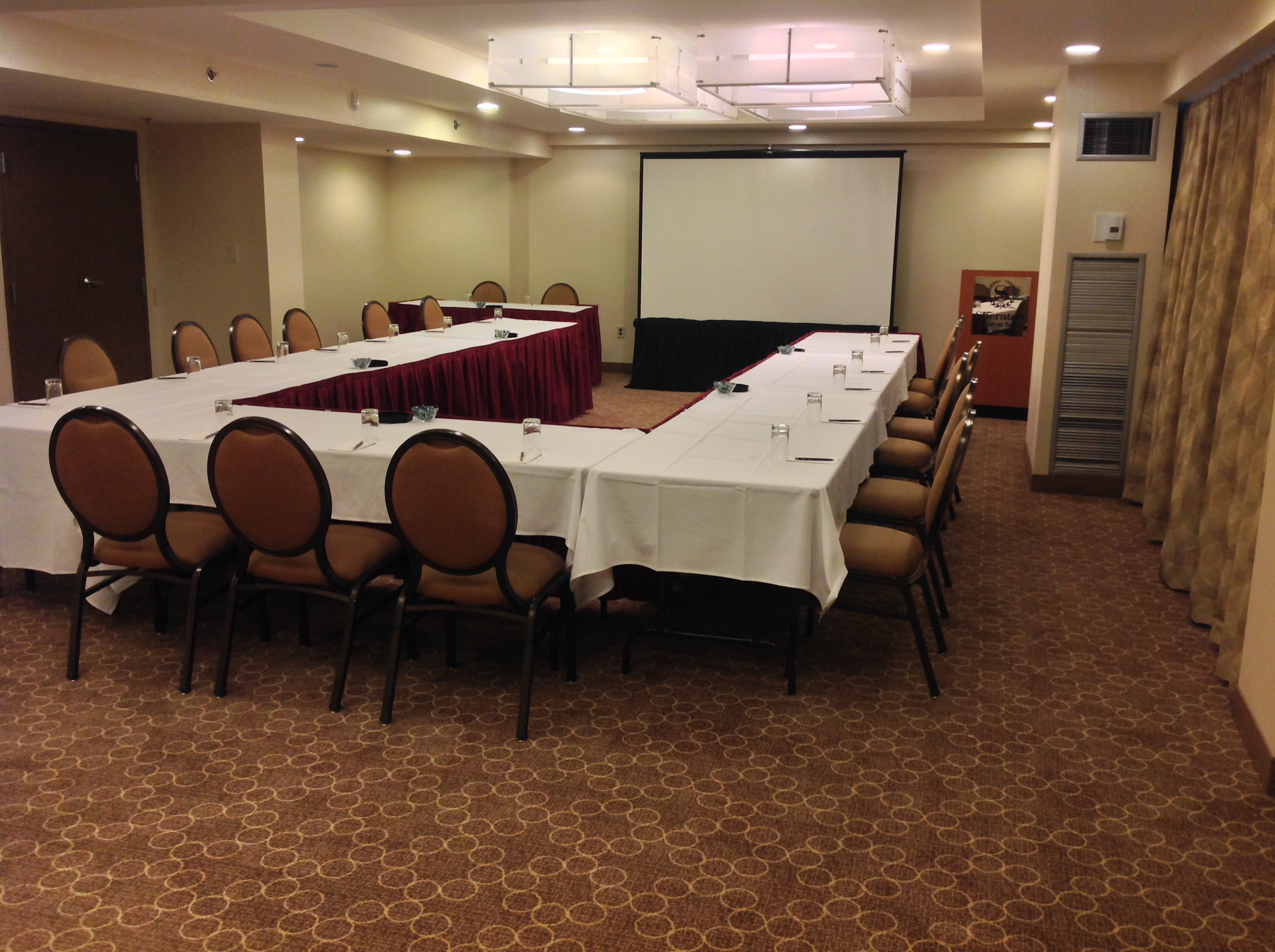
This is not how the room is set up for our weekends but it will give you an idea of the space in the conference rooms on the 2nd floor:

http://sheratonnovi.files.wordpress.com/2013/10/img_0283.jpg

Visit our blog at  http://www.cropalot.blogspot.com/ to see past menus and more photos about our weekend retreats.

New for this weekend is the addition of vendors.  Providing in-house shopping opportunities for our guests is one more way we hope to make our weekend enjoyable for our guests!  If you’re interested in participating as a vendor please see below for more information!

Vendor Information

Hope to see you at the Sheraton! 

Saturday, January 4, 2014

Cardstock

I loved CMs cardstock – it was smooth, a nice weight.  It cut beautifully in punches and electronic die cutting machines.  Solid color throughout – I could go on & on Winking smile 

As my CM cardstock stash dwindles I’m going to be replenishing it with cardstock from Hobby Lobby - the cardstock you can purchase in store by the sheet.  I bought a pack of black cardstock by the Paper Studio at Hobby Lobby and it was very thin and left lots of fibers behind on my Silhouette mat.  That isn’t the case with the type sold by the sheet –it’s very, very close to CM, in fact I have a hard time telling them apart.  I’ve even started storing the Hobby Lobby cardstock with my CM cardstock.  That’s a big step for this former CM purist. SmileThe Hobby Lobby cardstock is smooth, dyed throughout (no white core) and a very decent weight.  Except for colors, side by side I can’t tell the difference between CM & HL cardstock.

Here are some photos of cardstock I bought at Hobby Lobby compared to CM cardstock (used to cut out the labeled tags.)

Sorry for the fuzzy pictures – these are just a few of the colors Hobby Lobby sells  - to give you an idea of how they compare to CM.  CM Colors are the labeled tags – Hobby Lobby colors are underneath those.

photo 1

photo 2photo 3

And while we’re on the subject of cardstock I thought I’d pass along how I store my paper scraps.  I love the look of keeping everything neat & tidy in drawers but that system doesn’t work for me.  I really need to have things close at hand and vertical storage works for me.  Part of the challenge I find with organizing scrap stuff – anything, really – is to figure out what works best for you. 

This is a cart from an office store – it’s not 12x12.  If I had to do it all over again I’d go with this 12x12 file cart by Cropper Hopper or something similar.  Even though they’re scraps I sometimes have bigger sized pieces and, as you can see, they peek over the top of the smaller folders. 

I save my scraps, cutting off jagged edges so they fit nice(ish) in the folders.

photo 4

I have adhered an old 12” long sticker envelope  to the back of each folder using CMs Photo Tape.  That stuff is strong!  Don’t worry if you don’t have any more CM Photo Tape - 3Ls Crafty Power Tape is a good alternative.  They’re made by the same company, too!

photo 5

In this clear envelope I put my smaller scraps.  Without it they fall to the bottom and they’re hard to get to – and also the bottom of the folders become very full making it a really tight fit.

Do you have a favorite brand of cardstock?  I’d love to hear about it!


Saturday, December 7, 2013

Where to find files for your Silhouette machine–free SVG & SIL files.

Below are sites that offer lots of freebies.
I will update this from time to time.  Feel free to add your favorites in the comments - freebies or paid files!
Apex Cuttable Designs
A. Spoon Full of Sugar*
Agus Yornet  
Beanie’s Tag You’re It 
BeaOriginal
Bird’s Cards             
Brittany's svg files Craft Edge
Cre8ive Cutz
Create, Believe, Imagine 

Creativity = Sanity 
 
Cuts by Connie  - a lot of broken links & you’ll have to go back a few pages for free files.
Digital Designs by Stephanie

Ducky's Designs 
Einnej 
Everything Ladybug - lots of ladybug files!
The Free SVG Blog
Get Silvered

iDiecut.com 
(I) (L)ove (D)oing All Things Crafty  
Images by Heather M 
Kerri Bradford
KLDezign les SVG – in French but not too hard to navigate
Krafty Nook - TONS of great FREE file sets!  Click here for a tutorial on how to download them.
Krewella Kreations
LA's Cricut and SVG creations  
Little Scraps of Heaven Designs - weekly freebie 
LKC Designs – list on the right side of page
Love Paper Crafts  

Make The Cut Forum
Miss Kate’s Cuttables – daily freebie!
Monica Bjork
PapaSue Creates  
Paper Creativity
Paper Yoga
Pretty Paper, Pretty Ribbons – new Freebie every Friday  
Quilling Patch 
SCALE - Files 
Scout and Ro Design Co

Scrapbook & Cards Today
ScrappinbyKris 
Scrappin Doodles – sign up for their email list for Friday Freebies   
Scrappinfun.com 
Something to Craft About  
Shery K Designs   - links on right side of the page the page     
SVG Cuts
SVG Cutting Files - some really cute Star Wars freebies & lots of others.
Too Cute by Jessica
Treasure Box Designs - Freebie every Tuesday  
Wanda's Cards and Crafts
Top 40 Lists – listed in order of website traffic, I think
Make The Cut
Silhouette
Sure Cuts A Lot 

Silhouette Cameo & Make The Cut!

I have been using electronic die cutting machines for close to 10 years.  I’ve used a few different ones (Wishblade, Cricut & Silhouette) as well as a few different software programs including Sure Cuts A Lot (SCAL), Silhouette Studio (SS), SS Designer Edition (DE) & Make The Cut! (MTC) and have found that my Silhouette Cameo and Make The Cut! are my tools of choice.  The Silhouette cuts beautifully & precisely. I love the ability to create my own titles using any font on my computer, to create files using shapes or images and also to purchase and/or share files.  There is also a print & cut feature that is fantastic.  Here’s a brief video showing just a bit of what the Cameo can do:
I LOVE my Silhouette Cameo!!

If you’re even thinking about getting a Silhouette machine (Cameo has a larger cutting area than the smaller Portrait) you should download the free Silhouette Studio program.  Play around with the program, watch videos and start collecting shapes!   Here is a link to download the Silhouette Studio program http://www.silhouetteamerica.com/software

Silhouette offers a free shape each week in the Silhouette store. You'll probably receive a download card with your Silhouette Machine good for $10 in the Silhouette Store so if you’re waiting to get a Silhouette you can set up an account, start shopping or create a wish list.   http://www.silhouetteonlinestore.com/

I have found that the free program that comes with the Silhouette machines – Silhouette Studio (SS) - isn’t easy to work with.  It’s unstable – often getting hung up and/or crashing (consider this a reminder to save your work often!)  The tracing feature is hard to use and you’re limited to cutting .sil files with SS.  That is unfortunate because most cut files are in a SVG format.  To cut SVG files you’ll need another program.   You can upgrade to Silhouette Designer Edition – that has more features but it still works the same as SS (with more features) and I’ve experienced the same crashing issues and so have many others I’ve heard from. 

Fortunately, there are some 3rd party software programs out there.  I’ve used both SCAL and MTC and really, really like using MTC.  It was designed by a scrapbookers husband and the software is upgraded from time to time at no charge to MTC owners.  It’s very user friendly!

(I am an affiliate for MTC! – but I became an affiliate because I love the program, not the other way around)

Do yourself a favor – download a trial version of MTC – simply click the “Download Now” button  It is a wonderful program – the layers feature is my favorite.  You can try it out but won’t be able to cut your items until you purchase  your copy of MTC.  Once you do that  you’ll be able to cut all other file types other than .sil files.  You can save files as SVGs, something you can not do in the  upgraded Silhouette Designer Edition program.  I use MTC for everything but .sil files.  I find myself using .sil files less and less because of the issues with the Silhouette programs and because MTC is so much easier to use.

But don’t take my word for it  - see which program you prefer and judge for yourself!

Here is a great comparison between Make The Cut & Silhouette Designer Edition:  http://underacherrytree.blogspot.com/2012/01/why-make-cut-mtc-vs-silhouette-designer.html

Here is a comparison between Silhouette Studio & Designer Edition: http://www.silhouetteamerica.com/media/docs/silhouette-studio-version-comparison.pdf

Here are some other resources for the Silhouette machines.

A good, basic – get started with your machine video:

 http://www.youtube.com/watch?v=nMQ84O8o33I

This is a great series of videos - she explains things in detail and is easy to follow: http://www.youtube.com/user/2tinytreasures/search...

Tracing Without Tears series - using Silhouette Studio (the software that comes with the Silhouette Machine) http://www.youtube.com/playlist...

Good video about the Print & Cut feature. http://www.youtube.com/watch?v=vqXrUmZoc_o

I have lots of Silhouette/electronic die cutter related pins here on my Silhouette Pinterest Board http://www.pinterest.com/lisa.../silhouette-ideas-and-finds/

and a board dedicated to vinyl projects http://www.pinterest.com/lisagraham/vinyl-projects/

This is where I order my vinyl from – great selection & quick shipping!

EV-Logo

This is a community board showing projects created with Make The Cut - where anyone can pin to it. http://www.pinterest.com/conicuts/make-the-cut/

This is one of my favorite spots for SVG files. Lots of great, fun files and a freebie each day!